5 Best Free Certificate of Award Templates
An award certificate has one job most other certificate types don't share: visibly signal that this person was chosen over others. The design needs to support a named distinction — "President's Award," "Q3 MVP," "First Place" — with enough visual weight that the award title doesn't disappear into the layout. That means a focal point (medal, ribbon, star) and clear hierarchy between recipient name, award title, and the body doing the awarding.
What to Look For
- A clear visual focal point — medal, ribbon, star, or trophy motif — that signals "this is an award, not a completion certificate"
- Generous space for a long award name, since real award titles often run to two lines ("President's Award for Operational Excellence")
- A distinct slot for the awarding body (committee, board, leadership team) — without it, the certificate reads as self-issued
- Strong contrast between the award title and surrounding text, so screenshots and LinkedIn thumbnails still read at small sizes
- Room for an award cycle or year (Q3 2025, FY26) without crowding signature lines
1. Blue Ribbon Award Certificate Portrait
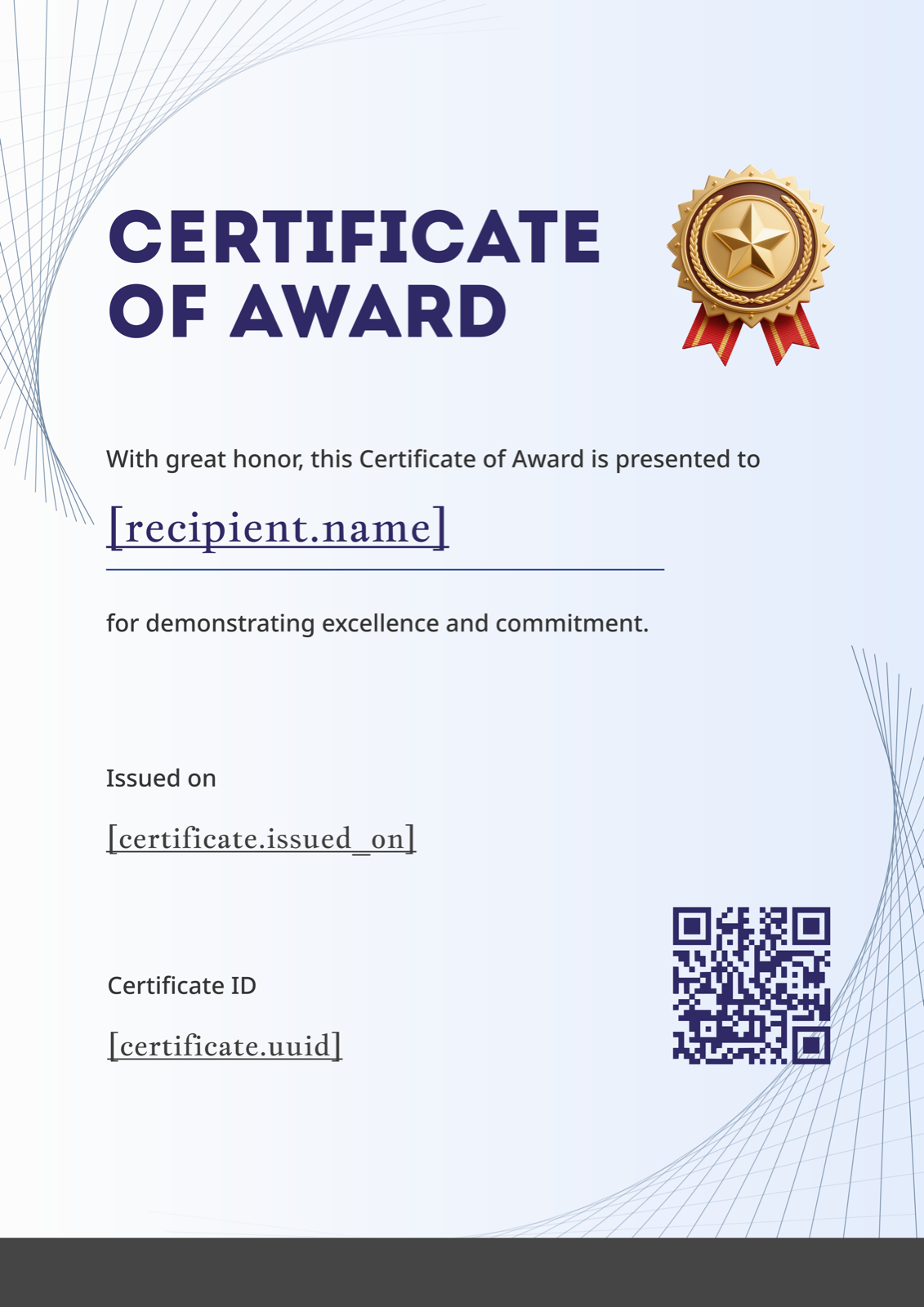
The gold ribbon medal anchors the top centre, with a delicate blue line-work pattern receding behind the text — restraint that lets a serious award title carry the page. It suits academic prize-giving, professional excellence awards in law and finance, and any context where the recipient may genuinely frame and hang the certificate. Swap the blue line-work for your institutional colour (a deep navy or burgundy works) to align it with formal letterhead. Browse it alongside related designs on the Certificate of Award gallery.
2. Coral 3D Shapes Award Certificate Portrait
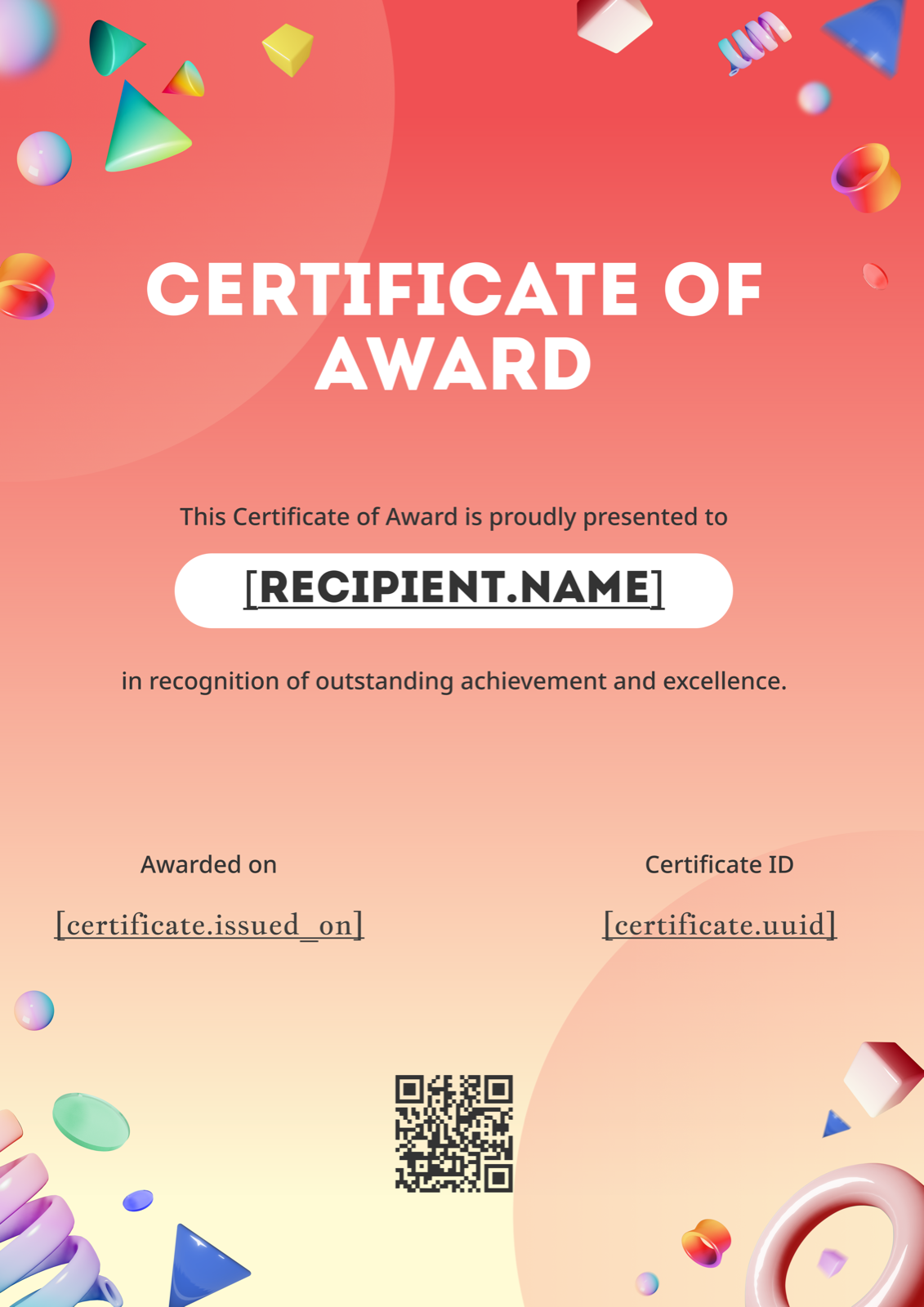
Floating 3D shapes in coral, mint, and pastel tones occupy the corners, leaving a clear centre column for the award name and recipient. This is the template to reach for when a traditional bordered design would feel off-brand — agencies, design studios, creative startups, internal hackathon winners. Replace the coral with your brand's accent colour and the template moves from "fun company offsite" to "annual creative award" without losing its energy. Find it on the Certificate of Award gallery.
3. Forest Green Star Medal Award Certificate
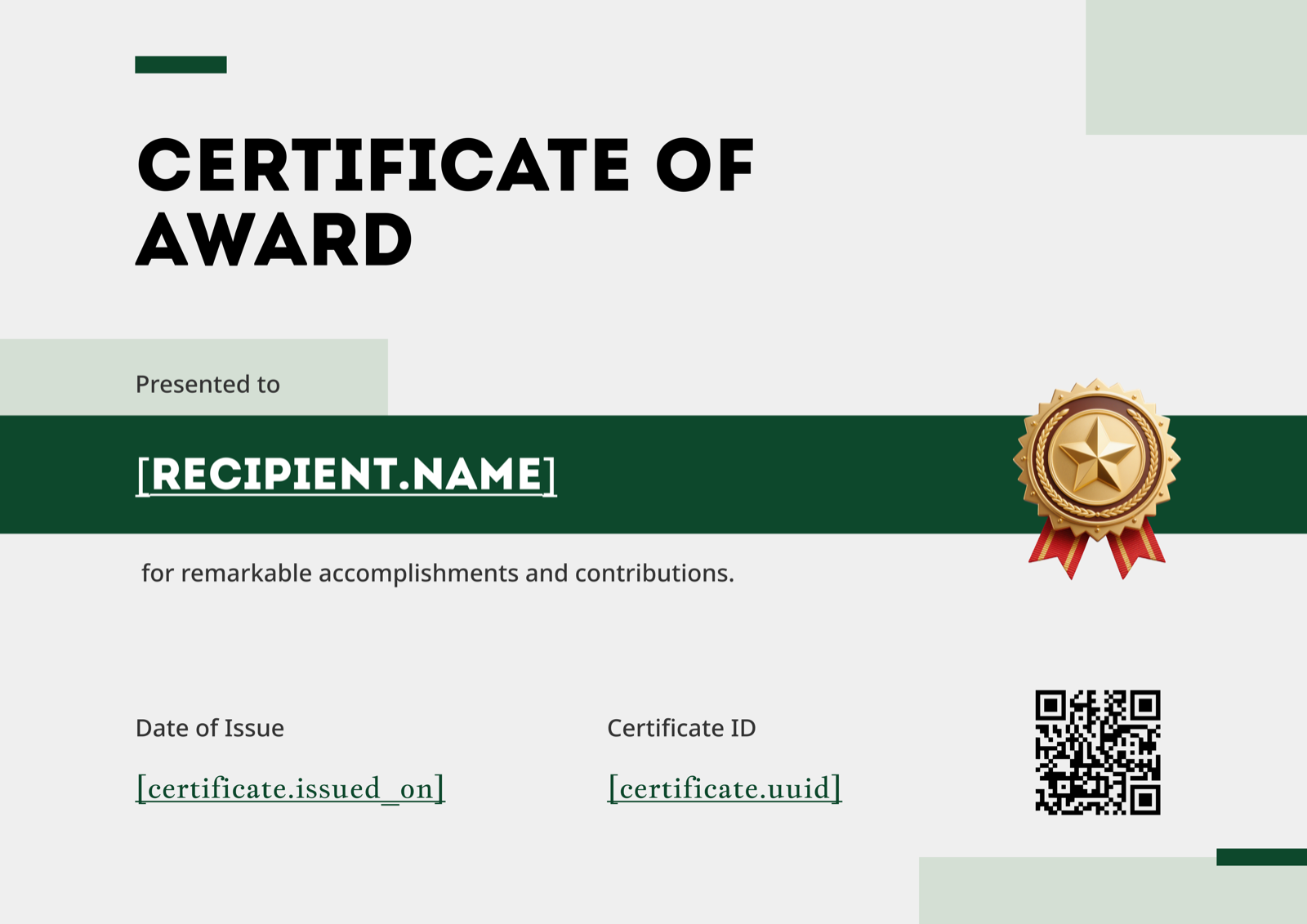
A deep forest-green band runs along one edge, the gold star medal sits prominently against the cream background, and everything else is left bare. The landscape orientation pairs naturally with stage presentation and printed framing, making this a strong pick for annual gala awards, distinguished service recognition, or long-service-linked honours. The minimalism is the point — when the award title is doing the work ("Distinguished Service Award, 2026"), the design shouldn't compete with it. View it on the Certificate of Award gallery.
4. Geometric Confetti Award Certificate
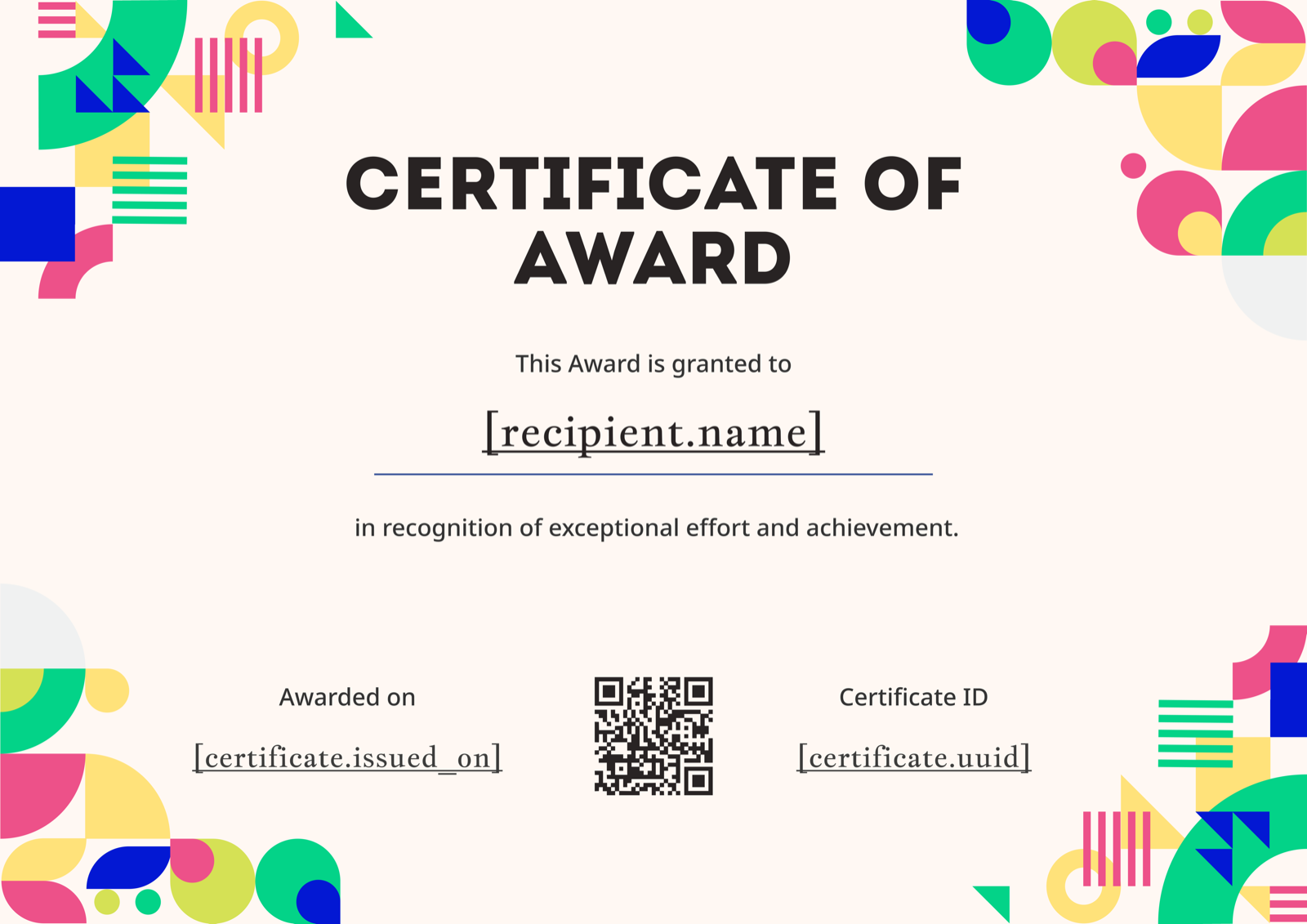
Pink, green, yellow, and blue confetti shapes scatter across a cream landscape — celebratory without slipping into cartoonish. It fits peer-nominated awards, "team spirit" recognition, end-of-year culture awards, school student awards, and youth programme honours where warmth matters as much as gravitas. To pull it slightly more formal, reduce the confetti to two of the four colours and increase the white space around the recipient name. Find it on the Certificate of Award gallery.
5. Yellow Bold Award Certificate Portrait
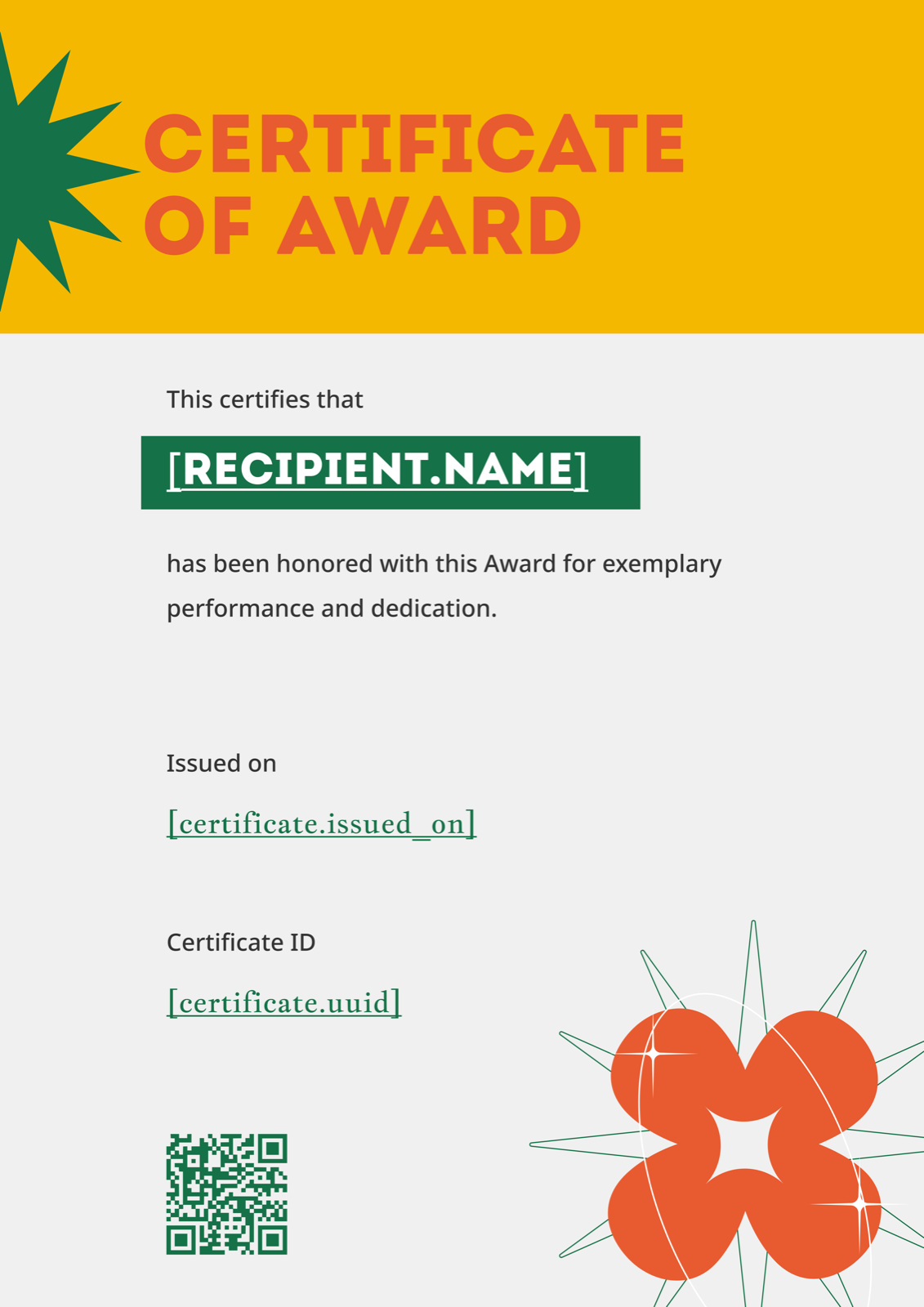
A bright yellow header banner runs across the top, a sun-burst star sits dead-centre, and an orange floral motif anchors the lower third — the certificate equivalent of a standing ovation. This template is built for energy: Sales MVP, Innovation Award, Hackathon Winner, Top Performer of the Year. It also photographs and screenshots well, which matters when recipients post their award on LinkedIn within hours of receiving it. Adjust the yellow to match a brand accent if the default reads too festive for your context. Browse it on the Certificate of Award gallery.
Making It Your Own
Every template above ships as editable Figma, Word, and PDF files. Replace the placeholder award name, recipient name, awarding body, and date — and swap in your logo top-centre or top-left so the certificate reads as institutional rather than generic. The full step-by-step guide to creating a certificate walks through the process for any of these formats.
Design carries half the weight; wording carries the other half. An award certificate with a beautiful medal but vague phrasing ("for being a valued team member") undercuts itself — see the Certificate of Award wording examples for formal and casual templates that hold up across contexts. For a use-case specific walkthrough, the Certificate of Award for employee recognition guide covers fields, sample wording, and template fit for HR programmes.
Pick the design that matches the gravity of the award itself — gold ribbon for executive honours, confetti for peer awards, yellow bold for energetic recognition. Browse the full Certificate of Award template gallery to see options side by side, and use CertFusion to generate and email personalised certificates from a CSV when your award programme runs monthly or quarterly.
Table of Contents
Related Articles
Discover more insights and stories that might interest you