3 Simple Methods to Reverse First and Last Name in Excel
If you need to reverse the order of first and last names (e.g., from "John Doe" to "Doe John"), Excel offers several methods to accomplish this. Here's how you can do it.
Method 1: Using a Formula
This method uses Excel functions to rearrange the name.
Steps:
-
Identify the Column:
- Assume the full name is in Column A, starting from cell
A1.
- Assume the full name is in Column A, starting from cell
-
Insert a New Column:
- Add a new column next to the full names for the reversed names.
-
Use the Formula:
- In the first cell of the new column, type:
=MID(A1,FIND(" ",A1)+1,LEN(A1)) & " " & LEFT(A1,FIND(" ",A1)-1)FIND(" ",A1)locates the space between the first and last names.MIDextracts the last name.LEFTextracts the first name.& " "adds a space between the reversed names.
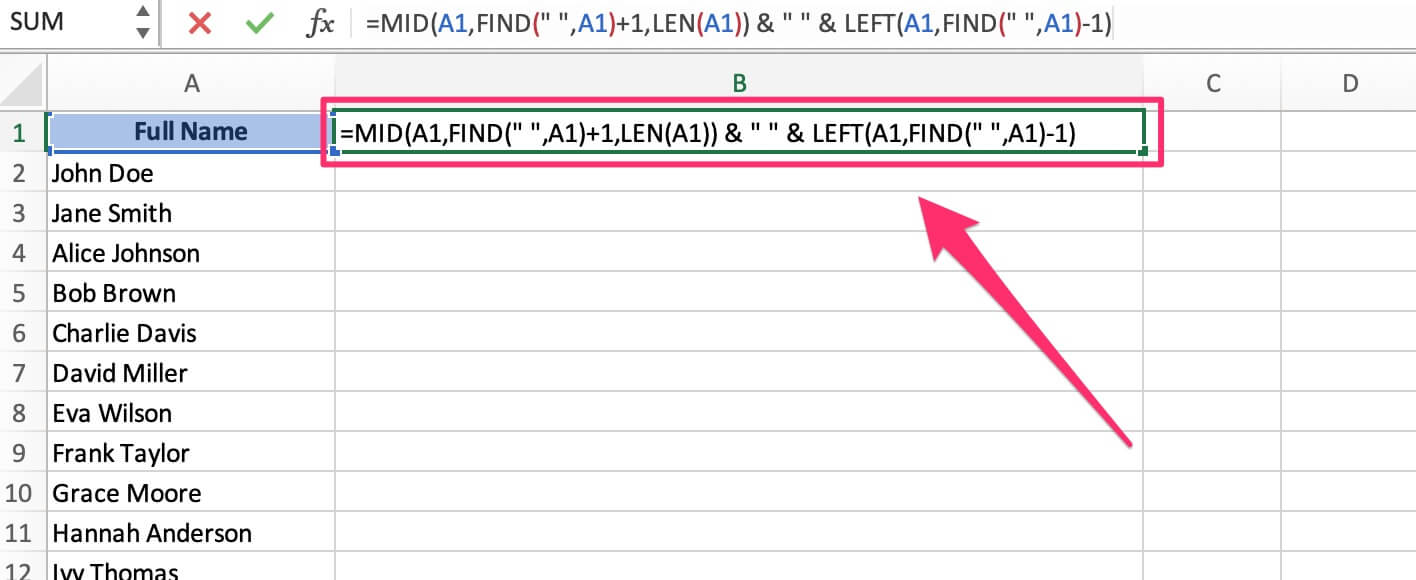
- In the first cell of the new column, type:
-
Press Enter:
- The formula will reverse the first and last names.
-
Copy the Formula Down:
- Drag the fill handle down to apply the formula to the rest of the rows.
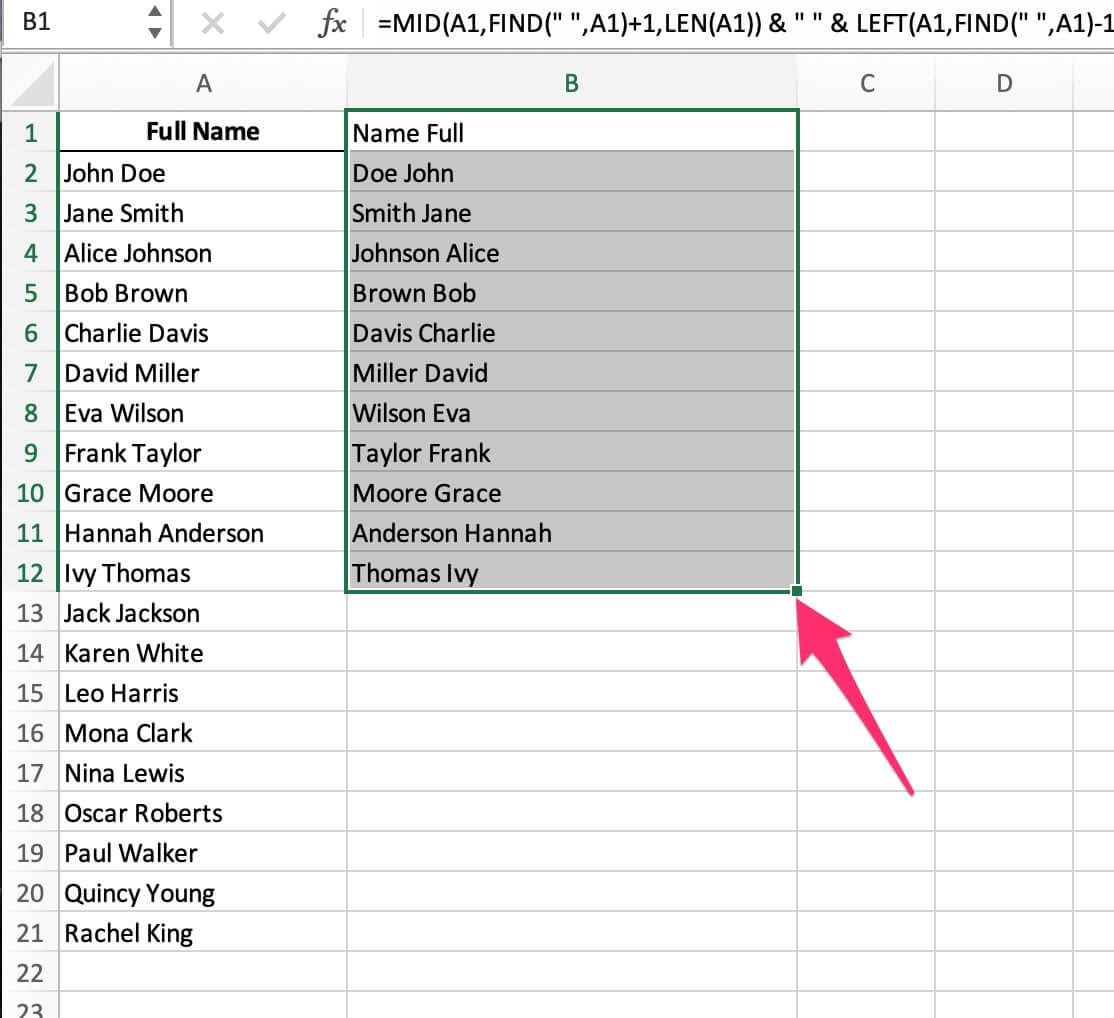
- Drag the fill handle down to apply the formula to the rest of the rows.
Method 2: Using Flash Fill
Flash Fill is a quick and intuitive way to reverse names without formulas.
Steps:
- Type the Reversed Name:
- In a new column, manually type the reversed name for the first row (e.g., "Doe John" for "John Doe").
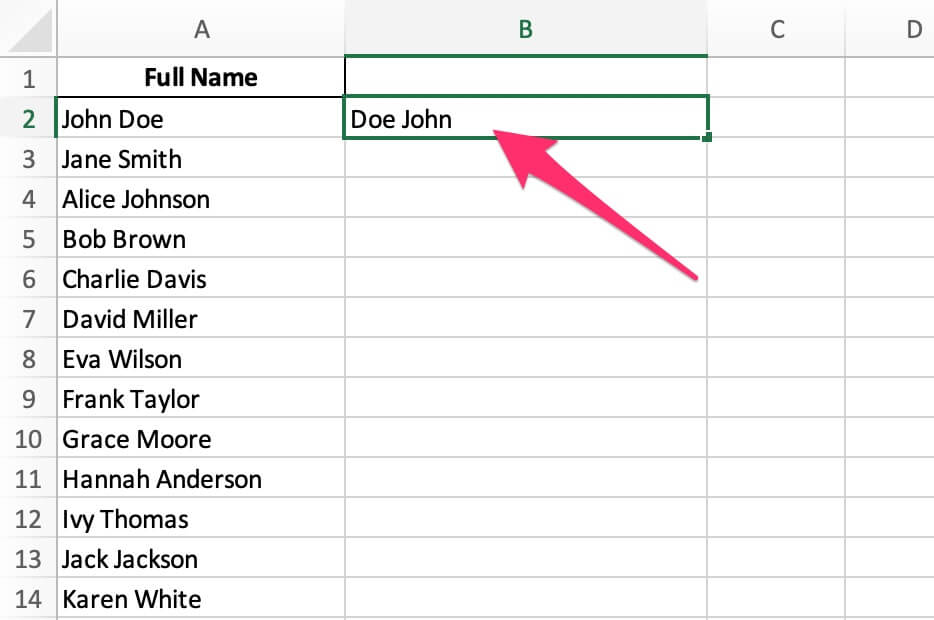
- In a new column, manually type the reversed name for the first row (e.g., "Doe John" for "John Doe").
- Activate Flash Fill:
- Select the next cell in the column.
- Go to Data > Flash Fill, or press Ctrl + E.
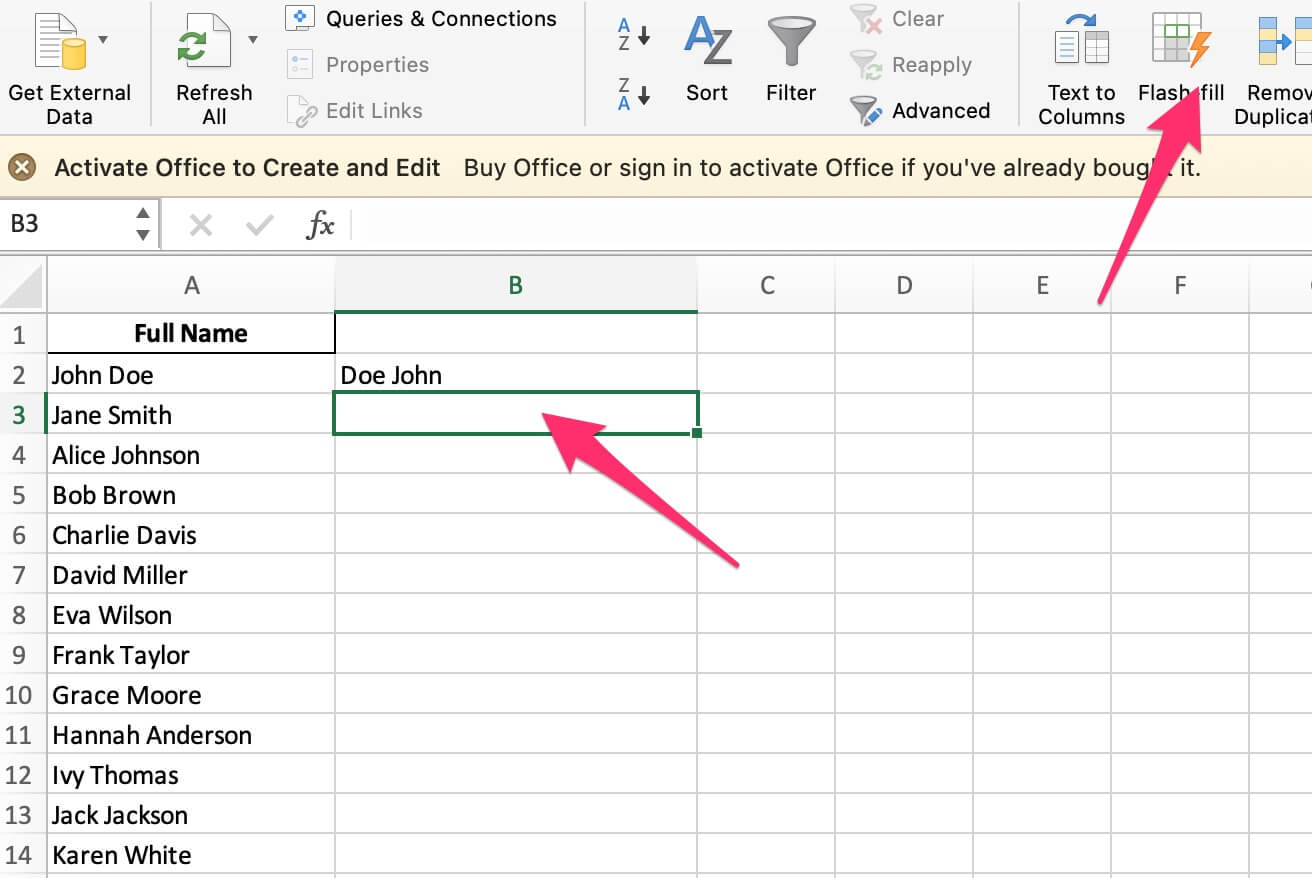
- Excel Fills the Column:
- Excel will automatically reverse the names for the remaining rows.
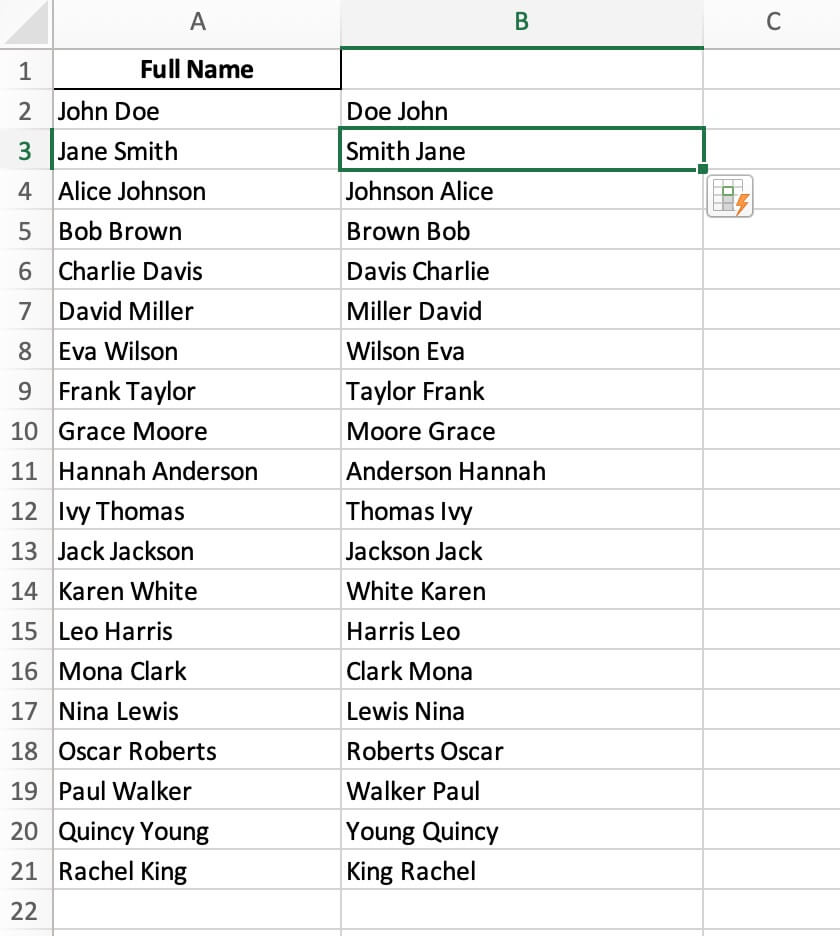
- Excel will automatically reverse the names for the remaining rows.
Method 3: Using CertFusion’s Name Reverser
If you prefer a quick and online solution, CertFusion’s Name Reverser is an excellent option.
Steps:
-
Access the Tool:
- Visit CertFusion Name Reverser.
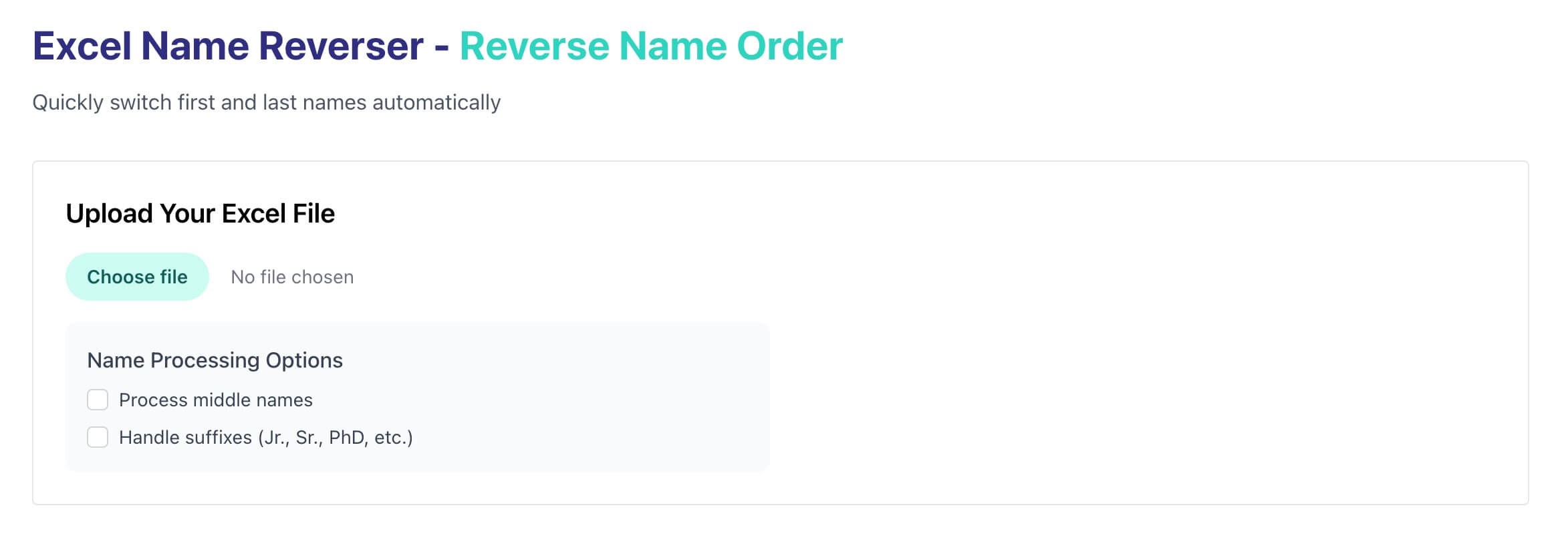
- Visit CertFusion Name Reverser.
-
Upload Your Excel File:
- Upload the file containing full names.

- Upload the file containing full names.
-
Reverse the Names:
- The tool will automatically reverse the first and last names for you.
-
Download the Result:
- Once processed, download the file with reversed names.
Tips:
- Consistent Formatting: Ensure names are consistently formatted (e.g., "First Last") for accurate results.
- Backup Your Data: Always save a copy of your data before making changes.
Table of Contents
Related Articles
Discover more insights and stories that might interest you